
Published on: 3 August 2026
A website form may look simple, but it plays a big role in converting visitors into leads. To reduce form abandonment, businesses need forms that are short, clear, fast, and easy to complete on mobile devices.
For Edmonton businesses, optimizing contact forms, quote requests, and sign-up forms can help generate more opportunities without needing more website traffic. FutureWorkz offers conversion-focused web design, landing page development, WordPress development, and digital marketing solutions to help businesses attract and convert visitors.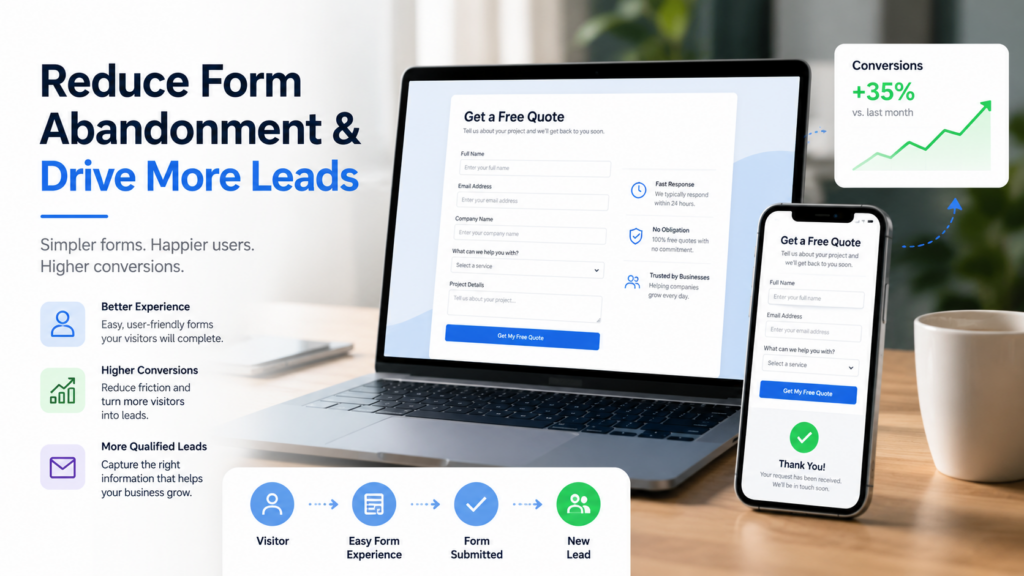
Reduce Form Abandonment with Shorter Forms
Every extra field takes effort. Just ask for the information you need to get the conversation started.
A simple lead form could include:
- Name
- Email or phone number
- Service required
- A brief message
More information can be obtained after the initial contact. Shorter forms are easier to fill out and are especially useful for visitors on mobile devices.
Use Clear Labels and Useful Directions
Visitors should be able to see instantly what information belongs in each field. Provide clear labels rather than ambiguous wording. If a field requires a certain format, include brief instructions.
Error messages should tell visitors exactly what needs fixing. A generic message such as “Something went wrong” can frustrate users and cause them to abandon the form.
Google’s user-friendly form design guidance recommends clear labels, suitable input types, accessible error messages, and mobile-friendly controls.
Reduce Form Abandonment on Mobile Devices
Forms should be easy to complete on smartphones and tablets. Cramped layouts, small fields, and buttons placed too close together can make submission difficult.
A mobile-friendly form should contain:
- Large input fields
- Readable text
- Easy-to-use dropdown menus
- A clearly visible submit button
- Correct keyboards for email and phone fields
FutureWorkz focuses on responsive website design that works across desktop, tablet, and mobile devices.
Build Credibility Before Asking Visitors to Submit
If people feel that the page is not trustworthy, they may be reluctant to share their information. Place the form near clear service information, contact details, and a brief description of what happens next.
Do not be aggressive or ask for sensitive information too early. A clear call to action such as “Request a Quote” or “Discuss Your Project” lets visitors know what to expect.
Regularly Test Forms
Even if a form appears to be working, it could still have delivery issues, broken confirmation messages, or mobile display problems. Test all forms regularly and make sure submissions are sent to the correct inbox.
Conversion-focused landing page design considers factors such as form length, user-friendly layouts, contact form visibility, and regular testing.
Convert More Visitors into Leads
Keep each step simple, clear, and trustworthy to reduce form abandonment. FutureWorkz helps Edmonton businesses improve website usability, landing pages, and conversion paths. Ask for a website consultation to build a website experience that encourages more visitors to take action.